

Over the years, we have heard various terms used to describe a set of documented CRM requirements.
Terms include a request for proposals, high-level requirements, a blueprint, a functional specification, a specification plan, agile requirements, and more.
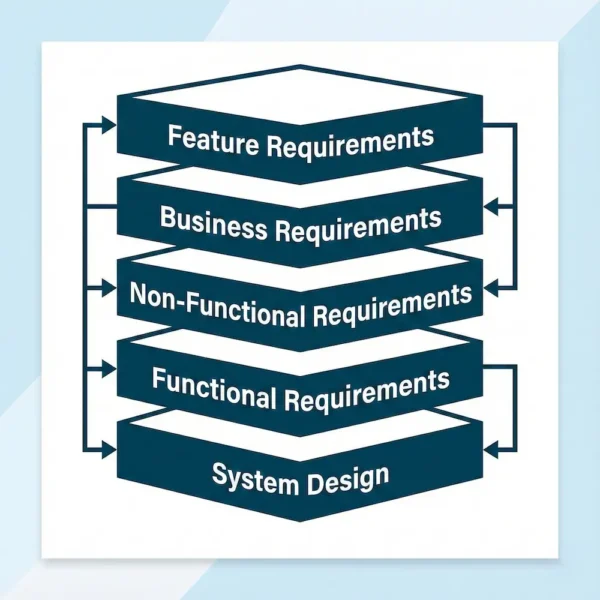
Labels aside, customer relationship management requirements have several levels of depth.
The deeper your team defines requirements as part of your CRM selection process, the more successful your CRM software implementation will be.
Your requirements will also inform which CRM category or categories you should lean toward.
1. Feature Requirements
A list of required system features follows a format similar to that found in requests for proposals (RFPs).
Feature requirements do not describe any specific behaviors.
They indicate only whether the CRM system has some yet-to-be-specified level of functionality in a given area. Here’s an example of feature requirements.
The CRM system must support the following:
- Contact management
- Outlook integration (or Google Workspace integration)
- Account management
- Opportunity management
- Reporting and dashboards
- Sales forecasting
- Agentic AI
- Case management
- Knowledge base
- A customer portal
- Chat
- Field service
- Workflows
- Escalations
- Native email marketing
While creating a list of required software features is a good starting point, it does not give CRM vendors enough information to tailor a demonstration to your company’s business requirements.
In addition, it does not provide implementation teams with sufficient data to produce meaningful estimates.
2. Business Requirements
A high-level business requirements document analyzes current pain points and possible business solutions. It does not cover CRM product features per se. This document is usually derived from stakeholder and end-user interviews. The document can include problem-solution pairings and current-state/desired-future-state pairings.
Ideally, the business requirements document should include an accompanying slide deck for use in a workshop to present and validate findings.
While a business analyst typically documents business requirements, CRM experience is helpful during the interview process and in assembling interview information.
A general understanding of how other companies have addressed business issues and what to expect from a CRM solution can help define business requirements.
3. Non-Functional Requirements
I discovered this topic while reading Grokipedia’s definition of ‘functional requirements.’ According to the Grokipedia article, “a non-functional requirement is a requirement that specifies criteria that can be used to judge the operation of a system, rather than specific behaviors.”
If we apply this label and definition to CRM, non-functional requirements can include criteria/requirement pairings such as:
- Availability: 99.9% uptime
- Scalability: Easily scalable to over 5,000 users and over 1,000,000 records
- Backups: We should be able to download full database backups daily
- Disaster Recovery: Redundant data centers with less than one hour of failover time
- Location: Our information can only be in data centers within our country’s borders
- Cost: The system must cost no more than $X per month
There is value in separating non-functional requirements such as these from functional requirements.
4. Functional Requirements
The functional requirements document takes the amount of detail to the next level.
Generally, functional requirements are expressed as “the system must allow for doing this specific thing.”
- Why the requirement is needed (what the current problem is)
- A description of the required behavior
- Details of a use case
- Business results of addressing the requirement
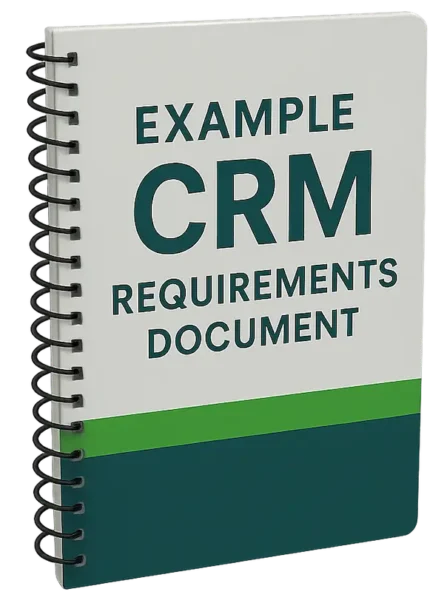
We’ve developed a CRM functional requirements example document to get you jump-started.
5. System Design
Citing a Wikipedia article, “the plan for implementing functional requirements is detailed in the system design.”
System design is the process of defining and developing systems to meet stakeholders’ and users’ specified requirements.
Also known as a blueprint or specification, system design is the detailed plan for how the system should work. In the CRM world, this includes details like custom field names, data types, and picklist values. It provides workflow rules and data migration maps. Spreadsheets and flowcharting tools become a part of the document set.
Several of the above levels can be combined. For smaller organizations, functional requirements and system design may be included in the document.