

If you’re shopping for CRM, you’ve probably run across vendors that offer a free version of their product. The pitch is tempting: manage your contacts, catalog customer data, and track campaign goals, all without spending a dime.
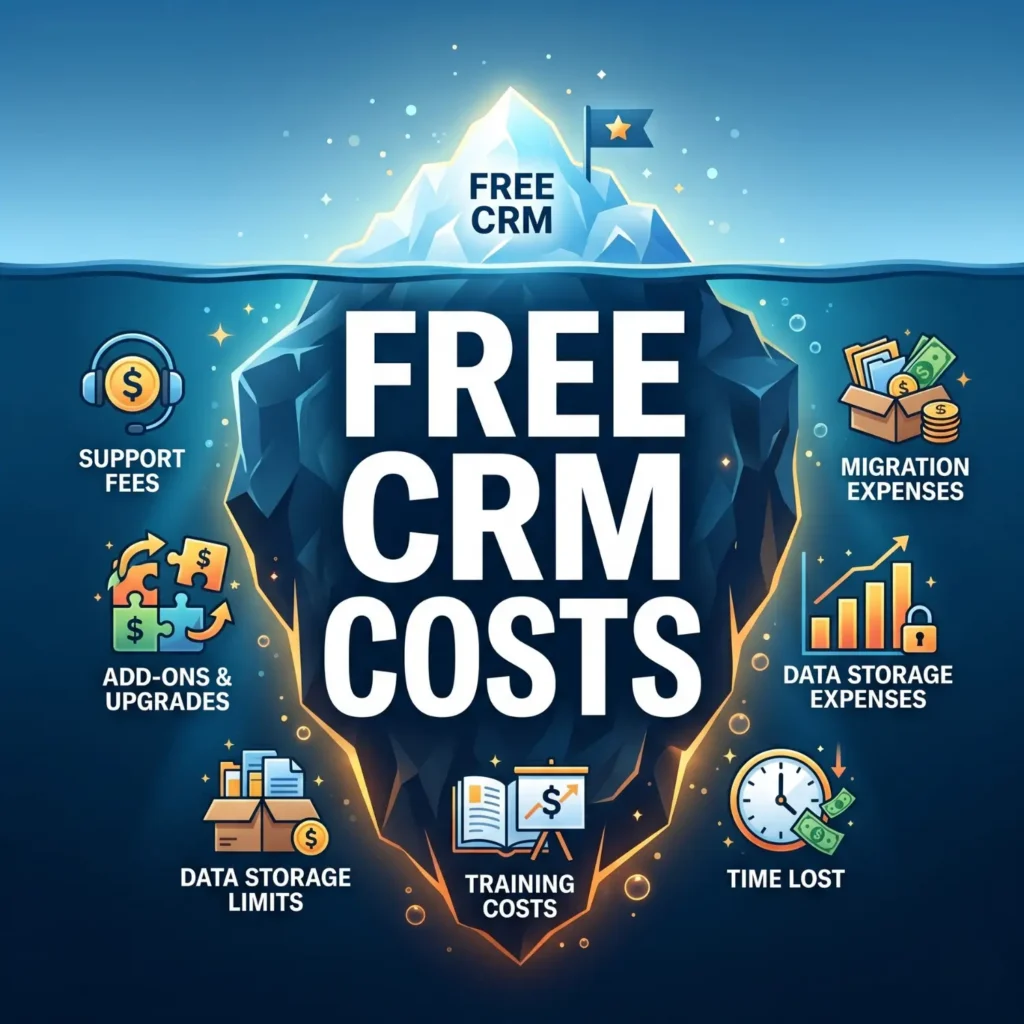
Sound too good to be true? In business, as in life, when an offer sounds too good to be true, there is usually a catch.
Putting your sales data, the lifeblood of your company, into a free CRM carries real risks and more than a few hidden costs. Today’s free tiers are far more polished than the stripped-down tools of a decade ago, so the catch has simply moved.
Instead of missing features, you now run into hard limits, steady upgrade pressure, and the cost of getting your data back out. Weighed against the price tag, paying up front is usually the smarter investment.
The Bells and Whistles Have Ceilings
Free plans look generous until you read the fine print. HubSpot’s free CRM, for example, is genuinely free forever, yet it caps you at 1,000 contacts and two users, strips out most automation, and stamps its branding on your emails and forms.
Zoho, Bitrix24, and the rest draw their lines in different places. The pattern is the same: enough to get started, not enough to run on as you grow.
| What to check | Typical free tier | Paid CRM |
|---|---|---|
| Contacts and users | Hard caps, often around 1,000 contacts and 1 to 2 users | Scales with your team |
| Automation | Limited or none | Workflows and lead scoring included |
| Support | Forums, docs, and chatbots | Live email, chat, and phone |
| Branding | Vendor logo on emails and forms | Removed |
| Data export and migration | Minimal, with lock-in by design | Standard tools and help |
None of this makes free CRM useless. It just means the free tier is the on-ramp, not the destination.
You’re On Your Own for Setup
Standing up a CRM across a whole team is real work, even with a polished tool. A paid vendor brings an onboarding team and a project plan, while the free route leaves installation, configuration, and training to you.
That matters more than it sounds. If your reps get frustrated learning the system, they will quietly drift back to the spreadsheets and inboxes they already know.
When that happens, the hours you poured into the “free” rollout are simply gone. A botched launch is one of the most expensive ways to save money.
What Tech Support?
Problems always surface during a rollout, whether it is an import that will not cooperate or a sync that keeps breaking. On a paid plan, you can usually reach a person who has seen the issue before.
Free plans rarely include live help. Your options are typically a knowledge base, a community forum, or an AI chatbot, which may get you there eventually but rarely with the speed or certainty of real support.
Everyone Pays, Eventually
Say the rollout goes perfectly. Within a few months, everyone is up to speed, the data is flowing, and the value of CRM is obvious, so the team naturally wants more.
That “more” is usually the moment the free plan runs out of room. Most teams hit a wall within six to twelve months and start eyeing a paid tier.
- You pass the contact or user cap, and records or seats get locked.
- You need automation, reporting, or integrations; the free tier is limited compared to paid plans.
- You want vendor branding off your customer-facing emails and forms.
- Accounting, support, or leadership asks for tools that the free product simply does not offer.
Now you either upgrade the plan you are on or migrate to something new, and that is where the data question bites. Months of contacts, notes, and history have to come out cleanly, and free tiers are not built to make leaving easy.
Exporting it yourself risks lost records and broken data, while paying someone to move it can cost more than a paid CRM would have in the first place. This is exactly the kind of expense the total cost of ownership of CRM is meant to capture.
Choose Wisely
CRM is a business investment, and free systems are not the enemy. Just go in knowing you may hit limits during setup, in daily use, and on the way out if you ever switch.
Treat the decision like any other major purchase: define your needs, follow a clear CRM selection process, and weigh the full cost before you commit. A good CRM buyer’s guide makes that comparison far easier.
It is easy to be lured by the bright “free CRM” banners that light up your search results. But whether you pay up front or not, you are buying a CRM one way or another.