

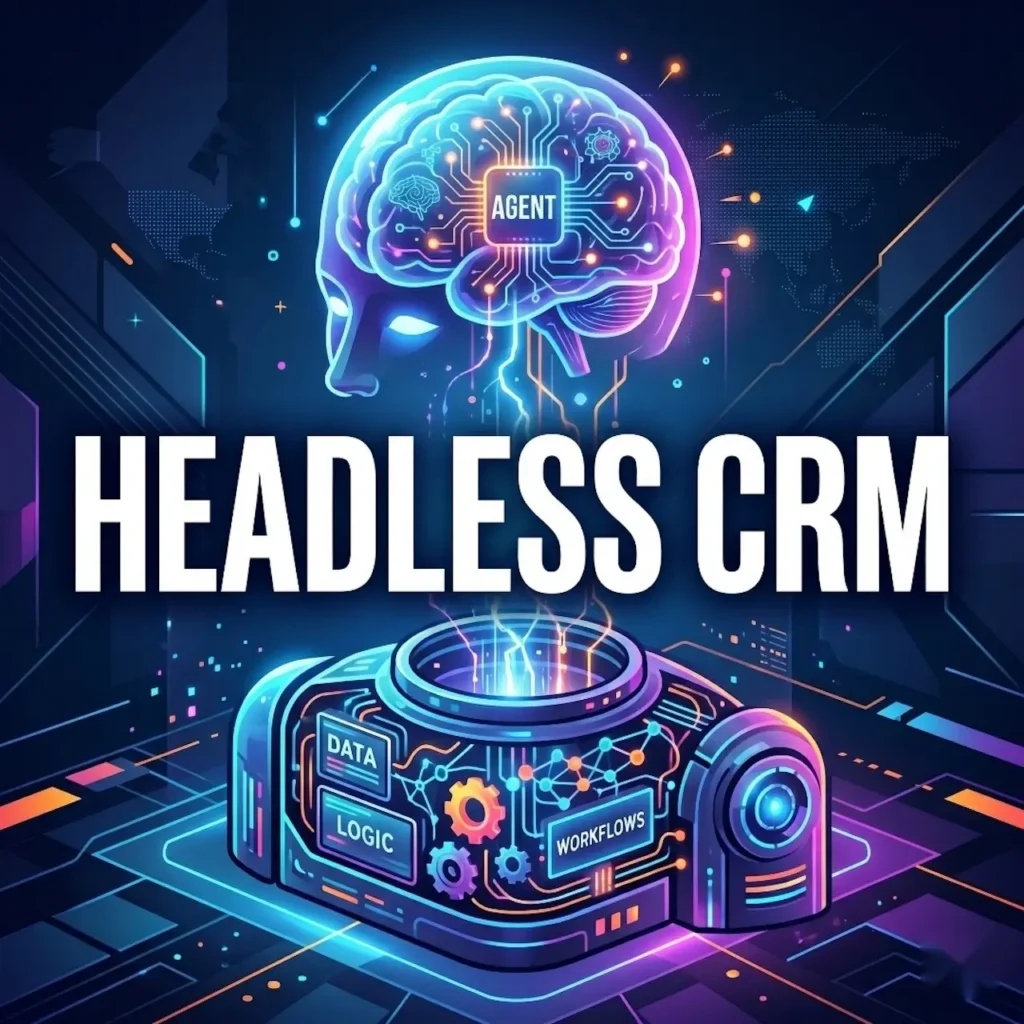
A headless CRM is a customer relationship management system in which the data layer, business logic, and workflows are decoupled from the user interface and exposed via APIs, MCPs (Model Context Protocols), tools, and CLIs (Command Line Interfaces).
Instead of a human logging into a browser to update records, run reports, or advance opportunities, any client can call the CRM’s endpoints directly and do the work. Example clients are AI agents, LLMs, Slack bots, mobile apps, voice assistants, and custom tools.
The name is derived from headless commerce and headless CMS, where the “head” (the presentation layer) is separate from the “body” (the data, logic, and workflows underneath).
In a headless CRM, your pipeline, contacts, activities, and automations are no longer mainly accessible via the CRM vendor’s UI. They live behind a contract — and anything that can speak that contract becomes a valid front end.
Workflows can be designed outside the CRM platform through an LLM connection.
Some AI-native CRMs were built with this concept in mind. Traditional CRM vendors are in more of a pivot mode.
Why is this suddenly a conversation?
The concept of an API-first CRM isn’t new. What’s new is that AI agents can now do work that previously required a human to click through a UI.
When a reasoning model can plan, call tools, and execute multi-step workflows, the graphical interface is no longer the product’s main focus. Instead, it becomes an optional surface.
That shift is why traditional CRM vendors are racing to expose their platform through MCPs, REST APIs, and command-line interfaces.
A CRM with capabilities that exist only in a browser is one that AI agents can’t easily use. That’s a strategic problem in a world where companies are deploying agents to handle customer service, lead qualification, renewal motions, and pipeline hygiene autonomously.
How headless CRM differs from traditional CRM
A traditional CRM bundles everything together: the database, the business rules, the automation engine, and the UI are shipped as one product. You log in, you click, and you work.
Integrations exist, but they’re secondary. The user interface is the primary way you use the product, and the API is what you fall back on when you need to sync data with something else.
A headless CRM flips that. Every capability the UI can do, the API can do — with the same permissions, the same governance, the same audit trail. The UI becomes one consumer of the platform, not its definition. In practice, that means:
The API is the product. Features ship as endpoints first, receiving UI treatment only if needed.
Workflows are addressable. Anything a human can trigger from a button, an agent can trigger from a call.
The interface is pluggable. The same workflow can surface inside Slack, a mobile app, an embedded widget, ChatGPT, Claude, or a custom portal, without rewriting the underlying logic.
This is the same pattern that reshaped content management a decade ago. A headless CMS separates content from presentation, so the same article could render on a website, an app, a smart display, and an email newsletter.
Headless CRM does the same thing for customer data and sales workflows.
What ‘decoupled’ means in practice
Three access patterns tend to show up together in a headless CRM:
APIs. REST or GraphQL endpoints for every object and action — contacts, deals, activities, pipelines, custom fields, automations. These are the foundation; everything else is built on them.
MCP tools. The Model Context Protocol has emerged as the de facto standard for how AI agents discover and call external capabilities. A headless CRM ships MCP tools that wrap its APIs with agent-readable descriptions, so a model can figure out on its own how to “create a deal,” “log a call,” or “move a contact to a new stage.”
CLI commands. A command-line interface matters for two reasons: it’s how developers script the platform, and it’s how agentic coding tools (Claude Code, Cursor, and their peers) actually drive the system when building or modifying integrations.
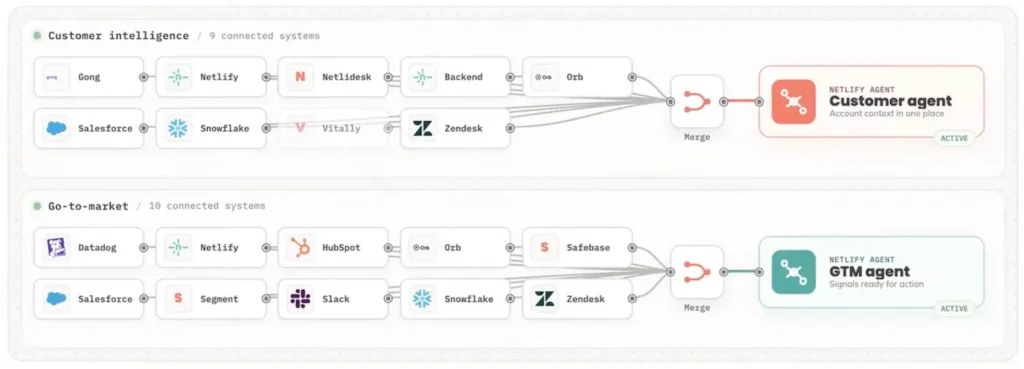
I learned on a webinar that the hosting company Netlify uses the Salesforce CLI internally to flow signals into its Customer and GTM agents.
Vendors that expose all three are hedging against protocol shifts. Nobody knows yet whether the current interfaces will dominate, or whether something new will emerge.
Exposing all three makes the platform usable regardless of how the agent ecosystem evolves.
What a headless CRM unlocks
The obvious win is AI agents. An agent with access to a headless CRM can qualify an inbound lead, update a record, schedule follow-ups, draft emails, and loop in a human only when escalation is needed — all without a browser session.
Another use case is a field sales force accessing and updating the CRM only via voice on mobile phones.
But the less obvious wins matter just as much:
Interface flexibility. Sales reps who live in Slack don’t have to context-switch into a CRM tab. The CRM comes to them.
Embedded experiences. Customer portals, partner dashboards, and internal tools can surface CRM data natively without iframes or duplicated logic.
Faster iteration. Product teams can ship new workflows as API endpoints and let the UI catch up later, rather than blocking on frontend work.
Superior governance. When every action flows through the same API, audit logs, permissions, and compliance controls apply uniformly — no matter which surface the action originated from.
The trade-offs
Headless isn’t free. It shifts complexity from the vendor’s UI team to your integration team. Someone still has to decide what the agent sees, how permissions cascade, and what the fallback looks like when an agent’s call fails halfway through a multi-step workflow.
There’s also the question of determinism. Agents are probabilistic; CRMs are systems of record. Safely bridging the two usually requires a layer of guardrails that constrain what an agent can do.
The vendors leaning hardest into headless are shipping their own versions of this.
And you still need a UI for humans. “Headless” doesn’t mean “UI-less.” It means the UI is no longer the product’s definition. Most organizations will run a hybrid for a long time: human reps in a traditional interface, agents calling the API layer directly, both reading and writing to the same underlying system.
If you’re building customer-facing or internal AI agents, you care because your agents need a substrate on which they can operate.
If you’re running a CRM, you care because the vendors you depend on are making architectural bets right now that will determine how useful their platforms are to you in three years.
And if you’re evaluating a new CRM, the question to ask is no longer “Is the UI intuitive?” It’s “Can everything the UI does be done without it?”
That’s the real test of whether a CRM is headless.