CRM for Manufacturers and Distributors

A vendor-neutral buyer’s guide from CRM Switch: what to look for, which types of CRM fit which companies, and how to pick one your reps will use.

Guiding Manufacturers and Distributors

OVERVIEW

The best CRM for manufacturers and distributors fits your go-to-market model (direct sales, manufacturers’ reps, distributors, or a mix), handles customer-specific pricing and complex quotes, and integrates cleanly with your ERP. No single product fits every company. The right choice depends on your channel structure and the ERP you already run. CRM Switch is vendor-neutral: we help you define those requirements and evaluate platforms against them.

On this page

Sound familiar?

CRM for Manufacturers and Distributors

If you make or distribute products, you’ve probably run into some of this:

  • Sales still building quotes in spreadsheets
  • Customer history trapped in email threads
  • ERP numbers never lining up with sales reports
  • No clear view of what your reps and distributors are selling
  • Critical knowledge that disappears when people move on

The result? Poor visibility, slow quotes, and missed reorders. A CRM can fix most of this, but only if it’s chosen for how your business actually sells.

What makes CRM for manufacturers and distributors different

Most CRM software was designed around a simple pipeline: find a lead, work the deal, close it, move on. Manufacturers and distributors rarely sell that way. Most of their revenue comes from existing accounts that reorder, and a lot of it flows through people who don’t work for them, like independent reps, dealers, and wholesale partners.

The ERP also sits at the center. Orders, invoices, item masters, price lists, inventory, and credit limits all live there. A CRM that can’t show a rep last quarter’s orders or this customer’s contract price will get ignored, and the team goes back to calling the inside sales desk.

Manufacturers and distributors also need different things from the same system:

Manufacturers usually needDistributors usually need
How they sellDirect reps, manufacturers’ reps, and distributors, often all at onceOutside and inside sales covering thousands of accounts and SKUs
Revenue patternProjects, long-term supply agreements, and engineered-to-order dealsHigh-volume repeat orders with thin margins
PricingConfigurable products, quote approvals, and volume pricingCustomer-specific price lists, contract pricing, and rebates
ForecastingAccount and product forecasts that feed production planningReorder patterns and early warning when an account slows down
ChannelVisibility into what distributors sell and to whomSupplier programs, vendor rebates, and territory coverage

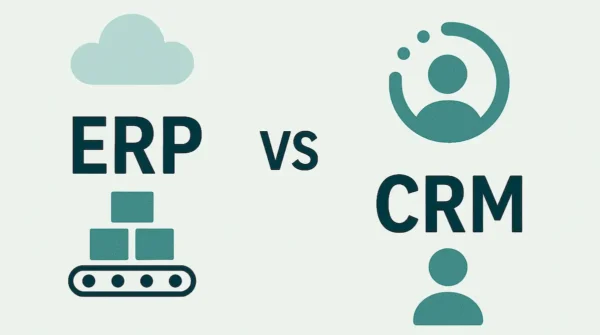
Our guide to ERP vs. CRM for manufacturing businesses covers where each system fits in more detail.

Features that matter most

Every CRM vendor will tell you it does all of this. Use the list below to write requirements and to script your demos, then make vendors show each item using your data.

1. ERP integration that sales trusts

Decide which system owns each piece of data before you look at products. Customers, contacts, items, price lists, orders, and invoices usually need to sync. Live stock and credit status are often better read in real time than copied.

Integration options vary a lot by ERP. Microsoft’s dual-write gives near-real-time, two-way sync between Dynamics 365 Sales and Dynamics 365 Finance and Supply Chain Management, according to Microsoft’s dual-write documentation. Business Central connects to Dynamics 365 Sales through its own Dataverse sync instead. Older ERPs like Dynamics GP, which Microsoft supports through December 31, 2029, typically need middleware. Check our list of which CRMs integrate with your ERP before you build a shortlist.

2. Quoting, CPQ, and customer-specific pricing

If your reps build quotes in Excel, ask how the CRM handles your real pricing: contract prices, volume breaks, freight, approval rules, and configurable products. Simple catalogs work with standard CRM quoting. Configured or engineered products usually need a configure-price-quote (CPQ) tool that pulls pricing from the ERP.

3. Rep, distributor, and channel management

Manufacturers selling through reps and distributors need to see channel activity without asking for a spreadsheet every month. Look for partner account records, territory and commission rules for independent reps, opportunity registration, and a way to load point-of-sale data from distributors. Salesforce Manufacturing Cloud, for example, includes Partner Visit Management for planning and logging visits to partners and distributors.

4. Sales agreements, run-rate forecasting, and rebates

A lot of manufacturing revenue is run-rate business under long-term agreements, and a standard opportunity pipeline doesn’t capture it well. Salesforce’s Sales Agreements track planned versus actual quantities and revenue for each agreement, and its account forecasting rolls those numbers up for demand planning.

Rebate programs are their own project. Many companies still calculate them in spreadsheets. If rebates matter to your channel, include them in your requirements early, because they can change which platform makes sense and what it costs.

5. Dealer and partner portals

Portals let dealers and distributors register deals, check order status, download price sheets, and see where they stand on incentive programs without calling your team. Salesforce does this with Experience Cloud and Microsoft with Power Pages. Our overview of CRM partner portal options compares the approaches.

6. Mobile and offline access for field reps

Outside reps work in plants, warehouses, and job sites with weak signal. They need account history, open orders, and pricing on a phone, plus fast visit notes. Ask each vendor to demo the mobile app offline. Our quick guide to mobile CRM has more on what to test.

7. Service, warranty, and returns

After the sale, customers call about warranty claims, returns, spare parts, and field service. When those cases live in the same system as sales, reps see a service problem before they walk into a renewal conversation.

8. Whitespace and account analytics

Once order history from the ERP is in the CRM, you can spot accounts that buy one product line but not another, or accounts whose orders are slipping. For distributors with thousands of accounts, this is often where a CRM pays for itself.

Four types of CRM for manufacturers and distributors

People often ask which sales management software is designed specifically for manufacturers and distributors. A few products are, but most companies end up choosing among four types of CRM. Each one fits a different situation.

TypeExamplesBest fitWatch out for
ERP-native CRMNetSuite CRM, Acumatica CRMCompanies that want one vendor and one database for orders and customersSales and marketing features can trail standalone CRMs
Enterprise platform with industry featuresSalesforce Manufacturing Cloud (now part of Agentforce Manufacturing), Microsoft Dynamics 365 Sales, SAP Sales CloudMid-market and larger manufacturers with channel programs, agreements, and complex quotingHigher license and implementation costs, and you’ll need a capable partner
Mid-market general CRMHubSpot Sales Hub, Zoho CRM, PipedriveSmaller teams or direct-sales models where marketing and pipeline matter mostERP integration and pricing logic often need add-ons or custom work
Distribution-specific CRMWhite Cup, Proton.ai, SimplyDepo, WizCommerceWholesale distributors focused on reorders, account coverage, and ERP order historyNarrower scope, so check marketing, service, and how well it fits your ERP

The ERP you run narrows this list fast. A Dynamics 365 Business Central shop will look hard at Dynamics 365 Sales. A NetSuite company should at least price NetSuite CRM before buying something else. Our CRM vendor directory lists more options by category, and our HubSpot vs. Salesforce comparison and Microsoft Dynamics vs. Salesforce comparison cover the most common head-to-head decisions.

How to choose a CRM as a manufacturer or distributor

We’ve run this process with manufacturers and distributors for years. These are the steps that keep a selection on track.

  1. Map your go-to-market model. Write down who sells what to whom: direct reps, independent reps, distributors, dealers, ecommerce. This drives more requirements than any feature list.
  2. Decide the system of record for each data type. Agree up front whether the ERP or the CRM owns customers, contacts, products, pricing, and orders.
  3. Write requirements at the right level of detail. Our post on the five levels of CRM requirements explains how deep to go, and our CRM requirements example document gives you a template to start from.
  4. Build a shortlist around your ERP. Use our CRM software selection criteria for mid-market companies to score three or four platforms.
  5. Run scripted demos with your own data. Give each vendor the same scenarios: quote a configured product, show a rep’s day on mobile, pull last year’s orders for an account.
  6. Pick the implementation partner as carefully as the software. See our guide to choosing a CRM implementation partner, plus our lists of Microsoft Dynamics 365 CRM partners and Salesforce consultants for manufacturers.

Our seven-step CRM selection process walks through the full project if you want more detail.

What CRM costs for manufacturers and distributors

License prices range from free starter tiers to several hundred dollars per user per month for enterprise editions, and industry add-ons cost extra. Salesforce, for example, lists its Rebate Management add-on for manufacturers at $10,000 per org per month, billed annually, and it requires at least 10 Manufacturing Cloud licenses (per Salesforce’s Rebate Management pricing page, November 2026).

Budget for implementation, ERP integration, and data migration on top of licenses. For most manufacturers and distributors, the integration work is where budgets slip. Our CRM pricing list for 2026 compares current list prices across vendors, and our breakdown of what CRM professional services cost covers the implementation side.

Get It Right the First Time

Higher Adoption

Choose a CRM that fits how your teams work for lasting engagement.

Reduced Risk

Avoid costly mistakes by uncovering gaps and needs before you commit.

Faster Decisions

Cut through vendor noise with an objective evaluation process.

Confidence in Choice

Move forward knowing your choice rests on independent expertise.

CRM That Works for Manufacturers & Distributors

CRM for Manufacturers

We know the pain points manufacturers and distributors face and how to fix them. A well-chosen CRM gives you:

  • A 360-degree view of each customer
  • Clear pipeline and run-rate visibility
  • More accurate sales forecasts
  • Faster, more accurate quoting
  • Better visibility into reps and distributors
  • Faster customer service resolution
  • Knowledge that stays when people leave
  • ERP integration your sales team trusts

Proven Success With Manufacturers & Distributors

Why Choose CRM Switch?

Why Choose CRM Switch

Frequently Asked Questions by Manufacturers & Distributors

It depends on how you sell and which ERP you run. Companies with channel programs and complex agreements often look at Salesforce Manufacturing Cloud or Microsoft Dynamics 365 Sales. NetSuite and Acumatica users should also consider their ERP’s built-in CRM. Wholesale distributors may prefer a distribution-specific CRM like White Cup or Proton.ai. Define your requirements first, then compare.

Most distributors need two systems working together: an ERP for orders, inventory, and pricing, and a CRM for account management, field sales, and reorder follow-up. The best CRM for a distributor shows ERP order history and customer pricing to reps, works on mobile, and flags accounts whose buying has slowed.

Not always. ERP-native CRM keeps everything in one database and can be enough for order-focused teams. Companies with larger sales and marketing teams, channel programs, or complex quoting often outgrow it and add a dedicated CRM that integrates with the ERP.

Yes. Most major CRM platforms integrate with common ERP systems, either through a native connector or middleware. The quality varies a lot, so confirm which data syncs, in which direction, and how often before you sign. Customers, items, price lists, orders, and invoices are the usual starting point.

A CRM puts partner accounts, rep territories, shared opportunities, and distributor sales data in one place. That makes it easier to see which partners are growing, where coverage is thin, and which deals need help from your team.

CRM quoting pulls customer pricing, discounts, and approval rules into one workflow, so reps stop building quotes in spreadsheets. Manufacturers with configurable or engineered products usually add a CPQ tool for product rules and pricing.

CRM gives visibility into the pipeline and into long-term agreements. Some platforms, like Salesforce Manufacturing Cloud, compare planned and actual volumes by account and product, which helps operations plan production and inventory.

Yes. CRM can track service cases, warranty claims, returns, and field service visits. Keeping them in the same system as sales gives reps the full picture before their next customer conversation.

Yes. CRM can be configured to support direct sales, manufacturers’ reps, distributors, two-step distribution, or a hybrid of these. Plan the data model for your channel structure early, because it’s much harder to change after launch.

Stop spinning your wheels searching for a CRM.

Meet with one of our consultants to plan, select, and launch a CRM your team will actually use.